Ready to grow?
2x Expected Opening Weekend Attendance
Cheetos Collab drove 184K+ Impressions
Donations Up 250% After Video
Our Design Helped Secure $50M Grant



Instead of manually matching finished video files to ad placements, connect video assets to ad placement through a shared campaign record that ties each approved edit to its audience, destination, tracking, and launch owner. This guide shows how to build that handoff for a 2027 consumer campaign, then update creative without losing control of what runs.
TL;DR
A commercial can be approved while the campaign is still unready. The media buyer needs the correct export, the intended audience, an approved destination, and clear instructions about which version runs where. A folder of videos does not answer those questions.
The practical reason to connect creative and media work is accountability: the creative brief and media plan need to describe the same campaign.
For your 2027 annual plan, define placements before production locks. That gives the production team a clear delivery brief instead of a late request to reshape an approved commercial for an unplanned placement.
Do not start trafficking while the destination, approval owner, or usage rights remain unresolved. Those are launch requirements, not cleanup tasks.
Use a shared spreadsheet, project workspace, or asset register that your creative and media teams can both access. The bold labels below are recommended fields for your internal record, not buttons or settings in an advertising platform.
Expected result: Every planned placement has a purpose, an owner, and a defined creative requirement. Your media buyer can identify what belongs in each placement without interpreting filenames or guessing from a storyboard.
For a 2027 campaign, keep this record attached to the annual plan. Update the placement rows when the plan changes; do not let a separate production checklist become the unofficial source of truth.
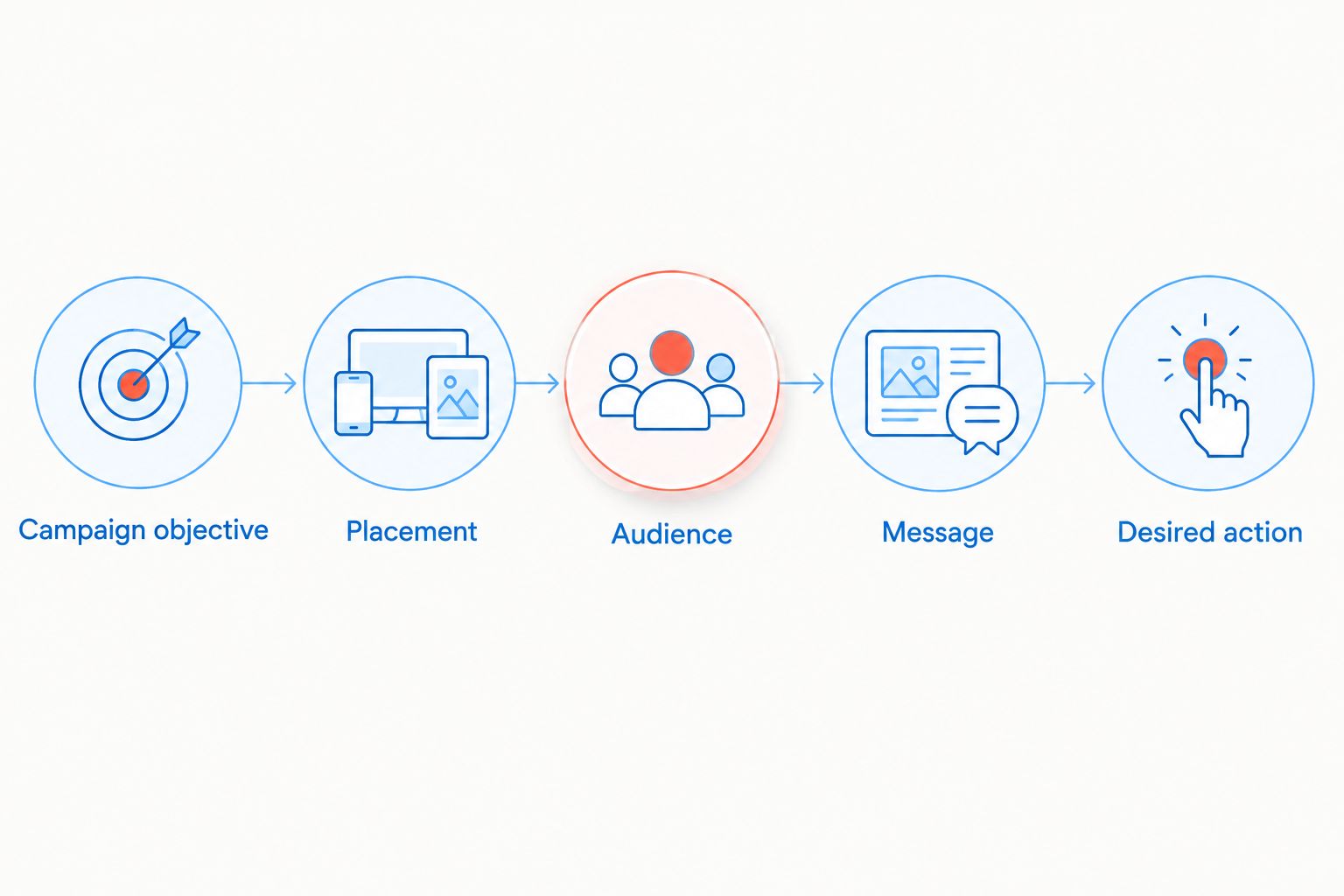
Define the placement and its job before choosing the final video export.
Build exports from the placement map, not from a generic delivery list. The production team needs the current requirements supplied by the platform or media partner. Requirements differ across placements, and they change; a previous campaign's export settings are not a substitute for checking.
Expected result: Each placement points to an approved export with a known version and accessible file location. Nobody has to choose between several similarly named files at upload time.
The benefit is fewer ambiguous handoffs. The trade-off is administrative discipline: someone must maintain the record when an edit changes. An approval system that nobody updates is less useful than a simple register the whole team trusts.
Before approving a 2027 export, check whether any date-sensitive language appears in the video itself. Updating ad copy does not remove an expired statement embedded in the footage.
Creative approval and publishing approval are separate decisions. A video can be correct while its audience, destination, or schedule is wrong. Keep those checks visible rather than treating upload completion as launch readiness.
Expected result: Each live placement has a traceable connection to an approved export, an intended response path, and a responsible owner. Reporting can be read against the creative that actually ran.
For 2027 reporting, preserve the distinction between delivery and business results. Impressions show distribution. Video viewing shows consumption. Neither establishes completed purchases, memberships, or enrollments without the relevant outcome data.
Use a second workflow when a campaign stays active but the message, offer language, footage, or disclosure changes. Treat a refresh as a new approval event, not a silent file replacement.
Initial launch
Creative refresh
Expected result: The team can tell which creative ran before and after the change. That protects the reporting history without relying on memory.
If the purpose is creative testing, document the test question before launch. Changing the audience, creative, and destination together prevents a clean comparison of the creative alone.
Compare the export with the current requirements for that specific placement. Check duration, dimensions, format, and content restrictions, then inspect the placement preview. Re-export from the source rather than repeatedly compressing an already exported file.
Match the live ad reference to the placement record and inspect the uploaded asset. Correct the affected placement, then check other placements using the same version. Renaming a file in storage does not change an uploaded copy.
Test the destination and the complete response path. Check that campaign parameters survive redirects and that the intended conversion event is configured correctly. Separate a measurement failure from a campaign that delivers visits without completed actions.
Check the platform's status information or request confirmation from the media partner. Review scheduling, review status, and delivery settings. Do not retire the previous creative solely because the replacement file was uploaded.
Match platform or partner references back to the asset register. Add the missing identifiers before the next refresh. If the history cannot establish which version ran, do not claim a version-level performance winner.
Expand the record around decisions your team actually makes. Add rights-expiration reminders, disclosure approval, localization, or retail-partner requirements when they apply. Keep optional detail out of the launch gate unless someone uses it to approve, publish, or measure the campaign.
Whether the work sits with an in-house team, one agency, or several partners, the creative-to-placement handoff described here still applies. A useful agency brief is not simply a request for a commercial: it includes the growth objective, audience, placement plan, production requirements, and reporting responsibility.
For your 2027 annual plan, review this connection whenever the campaign changes. Keep web and analytics work focused on supporting the campaign's destination and measurement, not replacing the campaign strategy.
What's the best way to connect video assets to ad placement?
Use a shared campaign record that connects each approved video export to its placement, audience, destination, tracking, and owner. Add the live ad or media-partner reference after upload so the record identifies what actually runs.
Can I use the same commercial across every advertising channel?
Only use the same export where it meets each placement's requirements and communicates the intended message. Shared footage can support multiple edits, but approval of one export does not establish suitability for every placement.
Do I need software integration to connect creative and media?
No. A maintained asset register can connect creative and placement records without an automated integration. Automation should follow an agreed naming, approval, and ownership process rather than replace it.
Should I plan media placement before producing the video?
Yes. Define planned placements before production locks so the team can prepare suitable framing, duration, captions, and disclosures. Confirm current technical requirements with the platform or media partner.
How do I replace a video without losing the campaign history?
Give the replacement a distinct version and preserve the previous asset's placement references. Record when the replacement begins running and when the earlier version retires so reporting remains traceable.
What should a consumer brand ask a video and advertising agency to manage?
Ask the agency to define responsibility for the campaign brief, production deliverables, approvals, trafficking, and reporting. Establish the specific scope, the accountable owner for each stage, and how creative versions will be tied to live placements before work starts.
Put the live ad reference beside the approved file reference. It is a small recordkeeping decision with a concrete payoff: when someone asks which commercial is running, the answer points to the placement, not merely to a folder containing approved work.
When you want a partner that handles commercial video and media placement together, J2 Marketing can help — reach out at j2marketing.com/contact-us.